Creating Feature Branches
MKK Systems uses trunk-based development with short-lived feature branches — no long-lived develop or environment branches.
GitHub development tasks like creating branches can be done through JetBrains IDEs or through the terminal. Both examples will be shown below.
1. Create your branch
Branch off main using the naming convention [bug|feature|task]/[issue-#]-short-description.
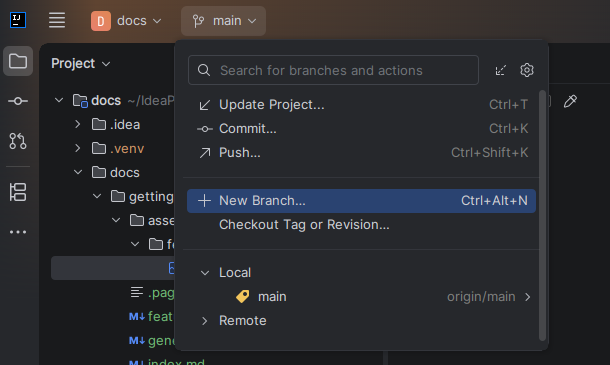
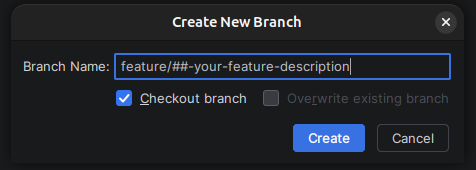
2. Push your branch
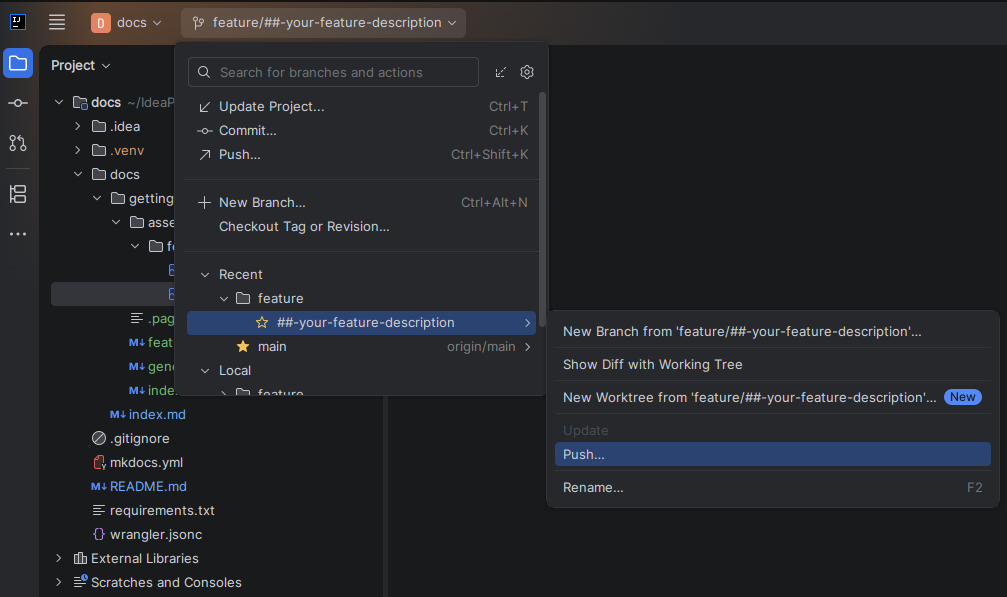
3. Develop
Code your heart out on the feature branch, making commits as needed with good descriptions (see How To Commit) as you work through your issue.
Never commit directly to main
We don't have branch protection rules set up (requires a paid plan), so nothing stops you from pushing straight to main.
Always work on a feature branch and go through a PR—even for "tiny" changes.
4. Open a pull request
When you've finished developing and testing your code, open a PR against main on GitHub once your changes are ready for review.